Getting started: hay, tools and your first upgrades
Updated 2026-09-27
Your first useful milestone is a repeatable trip from the haystack to SELL HAY. Collect hay, move it to the selling point, then use the earnings to remove the slowest part of that trip. You can work toward the needles while building the income that pays for machinery.
Learn what you are carrying
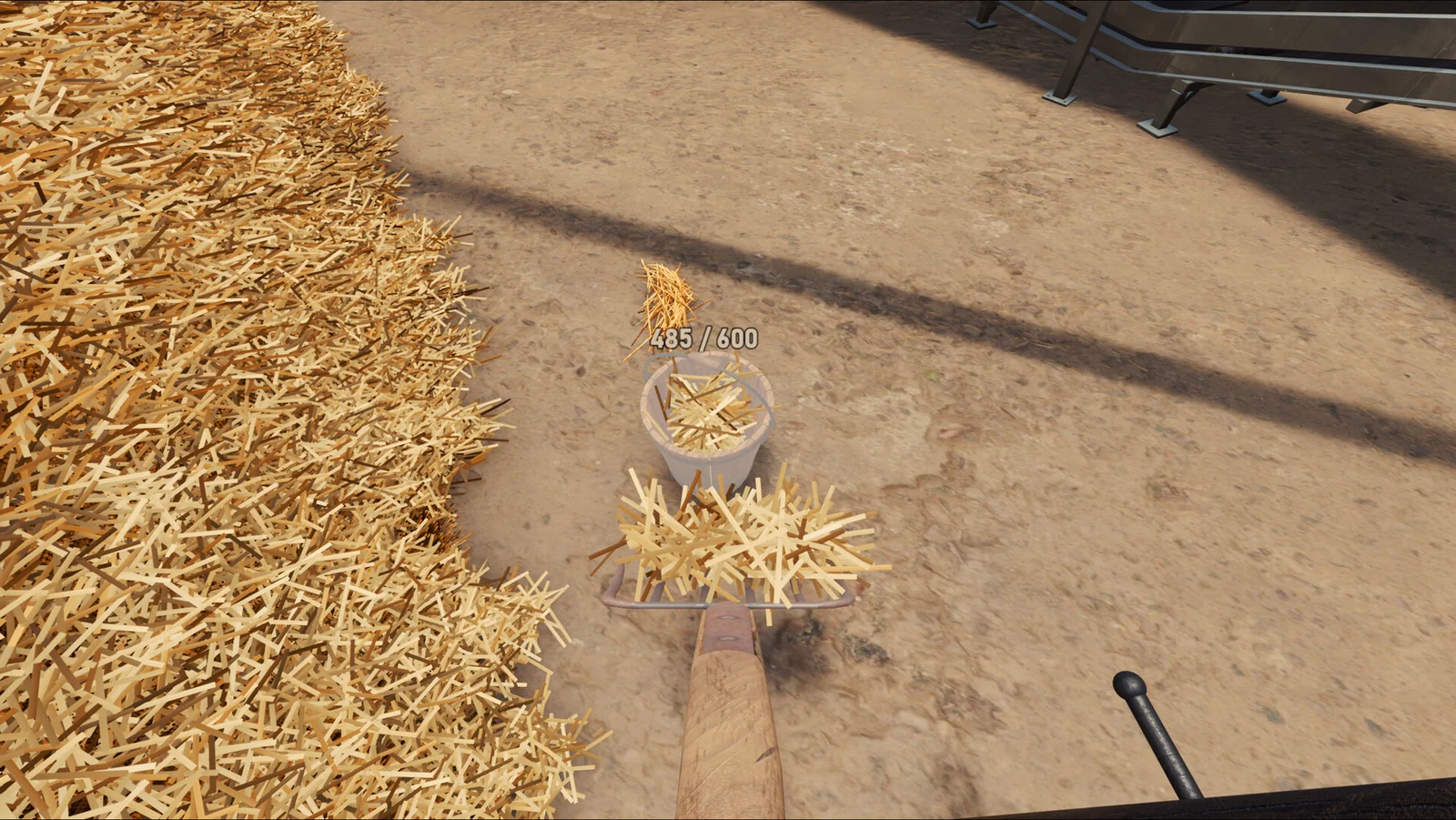
This official screenshot shows two different things: hay on the fork and hay already in the bucket. Watch the container's own fill display when transferring material. The number in this picture belongs to that setup; read your own container rather than assuming every bucket has the same capacity.
For an opening run:
- Work at a reachable edge of the pile, with a clear walk to the sale point.
- Use the tools and interaction prompts available in your build to collect and transfer hay.
- Complete a sale and check the money display before making your next purchase.
- Repeat once, paying attention to whether gathering, carrying or unloading takes most of the effort.
If gathering is the slow part, inspect the available hand tools. If you spend more time walking with hay, compare containers and transport equipment. Buying another collection tool will not shorten a long carrying route.
Read the research tree before buying
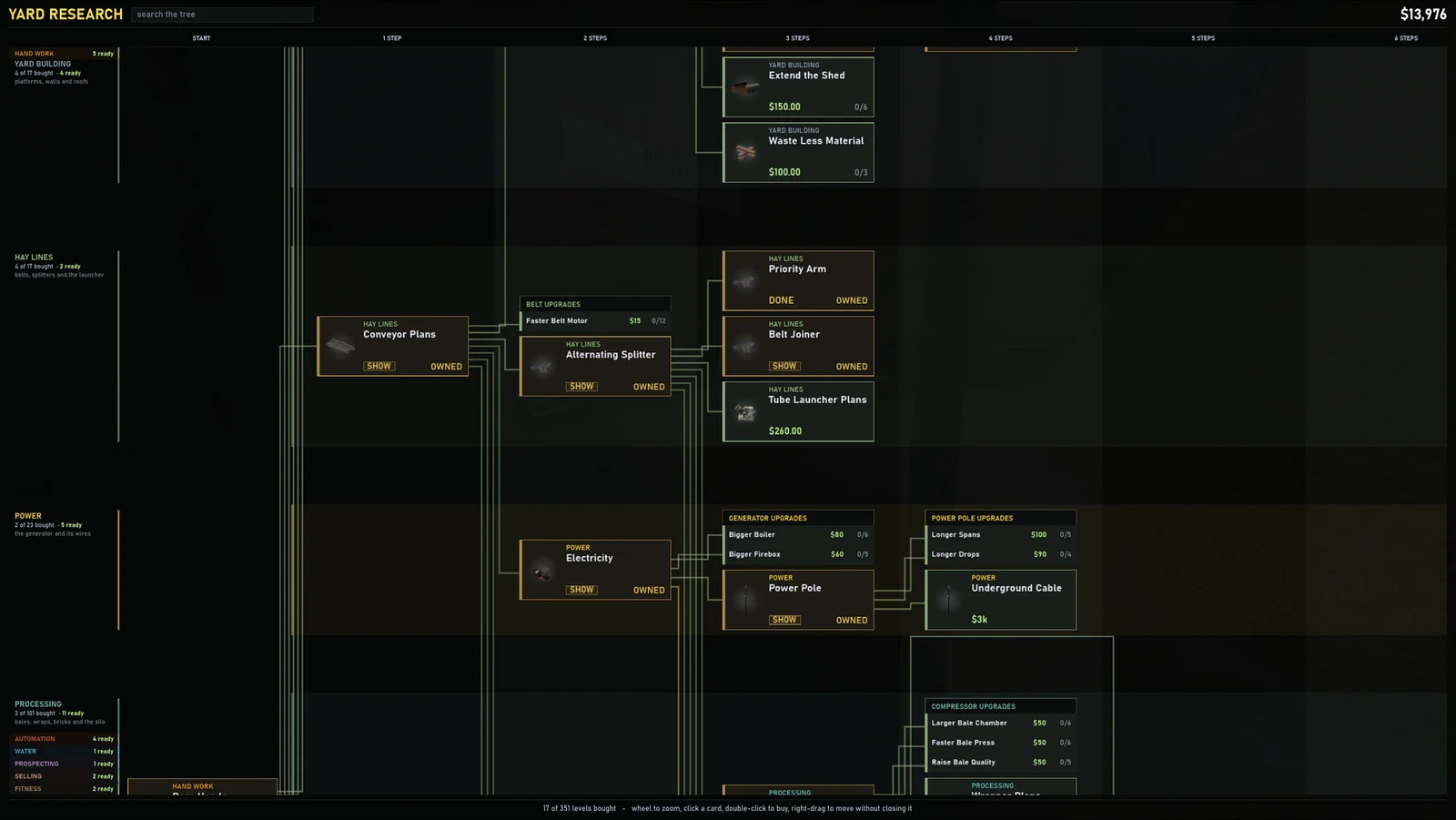
The official Yard Research screenshot separates Hay Lines, Power and Processing. It also shows connections between unlocks, a search field and cards marked OWNED. Use those branches to find the part of your setup you are trying to improve.
- Hay Lines: look here for moving and routing material, including Conveyor Plans and belt junctions.
- Power: inspect Electricity and Power Pole when planning powered equipment.
- Processing: check the machine's product and requirements before committing to another production stage.
Our recommendation is to budget for the complete route: the machine, its supply, any required electricity and somewhere for its output to go. An unlock alone is not a working production line. Prices and research levels in the screenshot are a snapshot, so compare the cards in your own game.
Make one small line work
Start with a route you can inspect from beginning to end. Feed a small amount of hay and watch it reach the destination before extending the belt network. The belt and power guide explains sell-point snapping, No Snap mode and the electricity checks introduced in Demo V8.
Need to choose equipment? See machines and hay products. If the pile is disappearing but your needle count is not increasing, go to needles, scanners and missing-needle checks.
Sources: official game description and screenshots. The purchase priorities above are planning advice, not a speedrun route.
Related guides
Connect conveyor belts, power and the hay sell stand
Use sell-stand snapping and No Snap mode, check a stopped power grid, and trace bottlenecks before expanding your hay production line.
Demo updates: what V8 changed and what to check
A practical summary of Demo V8 belt, power and performance changes, with dated official news and the planned full-game release.
Find the Needle demo: download, saves and PC requirements
Install the official Steam demo, find and back up its Windows save folder, and check requirements and full-game release plans.
Tools, machines and hay products explained
Separate collection, transport, processing and needle detection, then check what a new machine needs before buying it.